How to evaluate and choose loan management software
Part 2 of the LMS essentials series
You have started to look into LMS options, but now you may be thinking, which one is going to fit my needs? This is Part 2 of our LMS Essentials series, where we show you what to look for when evaluating a loan management software:
- Part 1: What is a loan management system? A complete guide
- Part 2: How to evaluate and choose loan management software (you are here)
- Part 3: How modern loan management software drives real results
Every LMS will tell you what they do best. It is up to you to decide which one fits your use case and how it will benefit you in the long run. That can feel overwhelming. This is part two of our LMS Essentials series, and by the end, you will feel more confident in your evaluation and know exactly which one will fit your business needs and help you scale for the future.
Not all LMS platforms are built the same
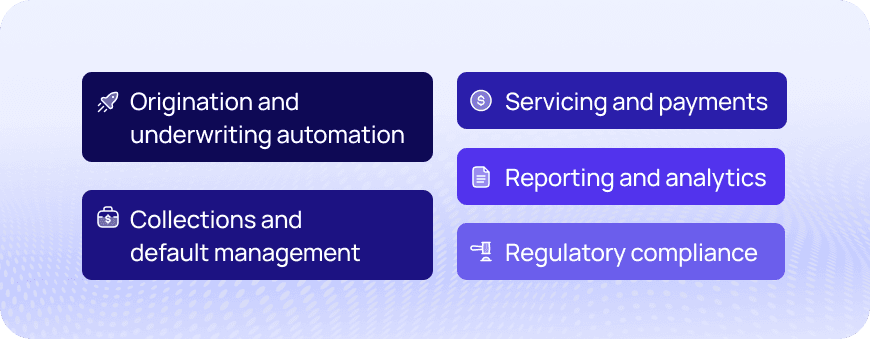
We mentioned this briefly in our last post. When it comes to evaluating functionality from an LMS, they are not all built the same. Some focus on flexibility and compliance, others focus on covering the full lifecycle of the loan, and others offer end-to-end integrated automation. Each has their own strengths and key features that support the needs of their lenders. These are the five areas where you will see those differences show up most.
- Origination and underwriting automation
- Servicing and payments
- Collections and default management
- Reporting and analytics
- Regulatory compliance
Define your dream outcome
When evaluating an LMS, you first need to define your dream outcome. You will want to ask what strategic requirements are going to help you with your current processes and future goals.
What is your primary business objective? You should determine if your primary goal is reducing funding time, improving your borrower experience, keeping up with compliance requirements and changes, or even creating more automated processes so you can leave behind your old spreadsheets that are taking up so much of your servicing team’s time.
Going beyond the feature list
Running a technical evaluation is crucial for any LMS search. Based on your ideal outcomes and goals, how well will the software meet those needs on a technical level?
Based on the core functionality, will it support your current loan types and structure? Whether you are a mortgage lender, an auto lender, or a financial institution, making sure the software can support your needs is job number one.
Next, we recommend looking into the software’s integration capabilities. Many businesses are working with different tools that they wish could talk to each other. Integrations can make that a reality. When evaluating integration capabilities, look for “API first” which will create seamless work when connecting your existing tools as well as create better flexibility to meet your unique needs. Every lender is different and your LMS should be able to support you exactly where you are.
Security and compliance is a must when evaluating an LMS. Look for certifications like SOC 2 or ISO 27001 and make sure the system can help support compliance guardrails.
You also want to make sure that your software can scale with your needs. Ideally, once an LMS is introduced into your tech stack, this will create more opportunities for growth because of the time and accuracy you are getting back to servicing and creating your loans. Look for a software that is going to help you scale as you grow.
Accuracy is also important when it comes to an LMS. You want an LMS that is going to get it right. From interest to amortization calculations, make sure your system can match your contracts down to the decimal to avoid any legal pains in the future.
A demo goes a long way when it comes to evaluating features
It is like buying a house or a car without ever stepping foot into it. A demo is a key driver that lets you see the software for what it is.
How does it look? How does it feel? Is it something you can work with everyday? Is it simple to use? Does it check the boxes that you need it to?
The demo is one of the most important evaluation steps to make sure you are seeing the software in action, in real time, against your actual needs.
Getting hands-on experience with a sandbox
The same goes for giving the car a test drive. Taking it for a spin on the open road tells you a lot about how you will be interacting with it on a daily basis. The same goes for getting access to the software early on. Once you have narrowed down the LMS you would like to use, you will want to ask if you can get access to a sandbox environment. Simply put, this lets you get guided access to the platform where you can put it to the test with a few different use cases.
Take your time in considering what you would like to test and see. Your vendor should be able to guide you to success in this stage of the evaluation process. The sandbox helps you make a confident, informed decision when choosing an LMS.
Where do you go when you need support?
You want to have confidence knowing when you need help, someone will be there to help you. Knowing beforehand what your support experience will look like tells a lot about the LMS platform you choose and how invested they are in your success.
Support looks different for many LMS platforms. You should first look at the support you get during the evaluation process. Then you should start to look towards the future state where you have the software in your hands.
Who is going to be with you to help get you onboarded and to make sure your system and processes are set up exactly how you need them.
Who is going to be there when you have questions or run into a technical issue — we are working with software after all?
Who will be there to help you know and understand new features that will help you succeed within your platform?
Support does not stop once you choose an LMS. Take your time here and know you will be getting the best support possible now and in the future.
Wrapping up the evaluation process
We have covered a lot of ground today on how to evaluate a loan management system. You are going to find two or three loan management systems that you like and want to see more of. The evaluation process is put in place so you can be fully prepared to find exactly what you are looking for.
You may be evaluating more than one LMS at a time. This is where the "same features, different outcomes" comes into play. Consider what is going to work best for you and the business outcomes you are looking to improve.
If you want to hear more about what people are saying about how an LMS has helped them, continue with part three of our LMS Essentials series. You can also go to review sites like G2 and Capterra to help you learn what current customers are saying.
Most LMS platforms offer a demo right on their website. Look for "Get a Demo" or "Learn More" buttons on the website to schedule a meeting to get the conversation started. LoanPro has exactly that. The "Get in Touch" button at the top of the screen will help you schedule a meeting with our team today to help answer any questions you might have.
Continue reading: LMS Essentials series
- Part 1: What is a loan management system? A complete guide
- Part 2: How to evaluate and choose loan management software (you are here)
- Part 3: How modern loan management software drives real results